

Organise Old Family Photographs: A Step-by-Step Guide
Table of Contents
- Getting started with a photo-organisation project
- Gathering photos from boxes, albums, and other storage
- How to organise family photos into manageable groups
- Organising photos chronologically or by decade
- Grouping photos by person, family, or relative
- How to label old family photographs for identification
- How to store old photographs safely and preserve them
- What to do with old photo albums and special collections
- Frequently Asked Questions
Last Updated: October 17, 2026
Getting started with a photo-organisation project
Learning how to organise old family photographs reconnects you with cherished memories and preserves your family's visual history for the next generation.
Organising old family photographs doesn't require special skills or expensive equipment, just a clear plan and a manageable pace.
Before you begin, gather a few basic supplies:
- A clean, flat work surface (a dining table works perfectly)
- Acid-free storage boxes or archival containers
- Soft cotton gloves to protect prints from oils on your hands
- A notebook or digital device for recording information
- Good lighting, natural light is best, but a desk lamp helps too
Set a realistic timeline: with hundreds of photographs, expect several weeks or months. An hour or two each week keeps the work manageable.
The most successful organisers break the work into distinct phases: gathering, sorting, identifying, preserving, and archiving.
Gathering photos from boxes, albums, and other storage
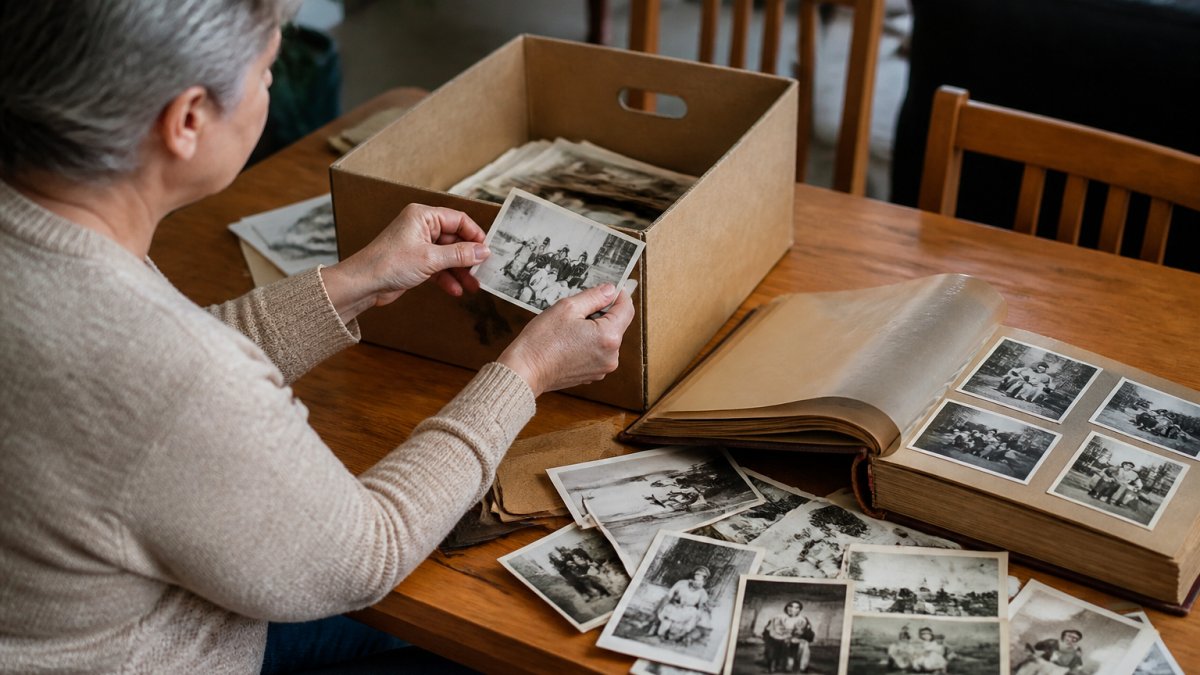
Your first task is to locate and collect every photograph you want to organise.
Start by listing the places where photographs might be stored:
- Cardboard boxes in attics, basements, or cupboards
- Photo albums and bound collections
- Loose prints in drawers or folders
- Photographs still in original packaging or envelopes
- Digital files on old computers, USB drives, or cameras
- Photographs held by other family members
Work through each location methodically, placing photographs in a central collection area such as a large, clean table. Don't sort yet; just gather.
If photographs sit in damaged boxes or deteriorating albums, transfer them carefully to acid-free containers as you go, since damaged materials transfer stains and degradation to prints.
Ask other family members about photographs you might not know about.
How to organise family photos into manageable groups
Once you've gathered your collection, sort photographs into manageable groups to make it feel less overwhelming and prepare it for detailed organisation later.
Your first sort should be broad. Divide photographs into rough time periods or categories:
- By decade (1940s, 1950s, 1960s, 1970s, 1980s, and so on)
- By life stage (childhood, school years, early adulthood, family with children, later years)
- By event or occasion (holidays, birthdays, weddings, travel, school events)
- By location (if you've lived in different places)
Don't worry about perfect accuracy. If a photograph might belong in two groups, pick the one that feels most natural. Aim for groups of 50 to 200 photographs each.
Use separate boxes, folders, or areas of your table for each group, labelled clearly with the decade or category name.
Sorting by decade is often the easiest starting point, requiring minimal decision-making whether you have ten photographs or thousands. For large collections, subdivide by event or person within each decade.
Organising photos chronologically or by decade
Chronological organisation, arranging photographs from oldest to newest, is one of the most effective ways to organise old family photographs.
Start by identifying the oldest photographs. Look for dates written in pen or pencil, photographer's marks, or printed dates on the envelope.
Once you've identified your oldest photographs, arrange them from oldest to newest. Within each decade, organise by year, season, or event to create a detailed structure that's easy to navigate.
Decade-specific books like those from the Remember When Shop can help you place photographs in their historical context. For example, if you have photographs from the 1950s, Photos and Memories of Australia from the 1950s shows you what daily life looked like during that era, the cars people drove, the fashions they wore, the homes they lived in. This context helps you date uncertain photographs and understand the world your family lived in during that time.

For collections spanning multiple decades, create a master timeline on a long sheet of paper or a spreadsheet.
Grouping photos by person, family, or relative
Many families also group photographs by the people in them, especially when organising photographs to share with relatives.
Start by identifying the main people who appear in your photographs. These might be:
- Yourself and your immediate family
- Parents and grandparents
- Siblings and their families
- Extended family members and relatives
- Friends and neighbours
Create a separate folder or box for each person or family unit, filing each photograph with the person who appears most prominently.
This person-based organisation makes it easy to gather all photographs of a particular relative in one place, especially valuable if you're creating gifts or sharing memories.
As you group photographs by person, note gaps or missing periods, such as many photographs of your mother as a young woman but few from her middle years, and ask relatives for photographs from those periods.
Digital tools help with person-based organisation.
How to label old family photographs for identification
Labeling photographs with who, what, when, and where transforms a collection of images into a documented family archive.
Start by identifying what information you want to record. The essential details are:
Book; Photos and Memories of Australia from the 1950s →
- Who is in the photograph (names of people)
- When the photograph was taken (year or approximate decade)
- Where it was taken (location or event)
- Any relevant context (occasion, story, or significance)
Use archival-quality materials. Never use regular pen on the back of a photograph, as the ink can bleed through and damage the image.
If you're uncertain about details, record what you know and note what's unclear. For example: "Mum, Dad, and Uncle John, circa 1965, likely summer at Coogee Beach" is more useful than leaving the photograph unlabeled because you can't remember the exact date.
Create a simple system for recording information consistently, using a template covering name(s), date, location, event, and notes.
Ask older relatives about photographs while they can still remember details. Going through photographs together captures information that might otherwise be lost, and their stories add immense value to your collection.
How to store old photographs safely and preserve them
Proper storage is essential for preserving old family photographs. They fade with light exposure, deteriorate in humid conditions, and can be damaged by improper handling or unsuitable materials, so how you store your collection determines whether it survives for decades or deteriorates within years.
Archival storage materials and handling
The foundation of good photograph preservation is using archival-quality storage materials. Regular cardboard boxes, plastic sleeves, and adhesive tape can damage photographs over time.
Invest in:
- Acid-free storage boxes
- Archival-quality photo sleeves or envelopes
- Acid-free tissue paper for separating photographs
- Archival tape (if you need to secure anything)
- Cotton gloves for handling
Store photographs in a cool, dry place. The ideal temperature is between 15-21 degrees Celsius, with humidity between 30-40 percent.
Keep photographs away from direct sunlight. Ultraviolet light fades colours and damages the photographic emulsion.
Never store photographs in plastic bags, regular envelopes, or boxes made from standard cardboard. These materials contain acids that transfer to photographs and cause yellowing, fading, and deterioration.
Creating a hybrid physical-and-digital filing system
The most resilient approach is a hybrid system: a physical collection plus a digital backup, protecting your memories against fire, water damage, or deterioration.
Organise your physical collection as described above, sorting by decade, person, or event and storing in archival materials. This is your primary archive and should be kept safe at home.
Create a digital backup by scanning or photographing your prints. Use a scanner set to at least 300 dots per inch (DPI) for best quality. If you don't have a scanner, many libraries and photo shops offer scanning services. Store digital files in multiple locations:
- On your personal computer
- On an external hard drive kept in a different location
- On cloud storage (Google Drive, OneDrive, or similar)
Name your digital files consistently using the same system you used for labeling. For example: "1965-Summer-Coogee-Beach-Mum-Dad-Uncle-John.jpg" tells you immediately what the photograph contains.
As you build your digital collection, add metadata such as keywords, dates, and descriptions in your photo management software. This makes the collection searchable and preserves context that might otherwise be lost.
Consider creating physical albums from your best photographs. The Remember When Shop's decade-specific books, such as Photos and Memories of Australia from the 1970s, offer inspiration for how to present family photographs alongside historical context and memories.

What to do with old photo albums and special collections
Old photo albums and special collections deserve thoughtful handling.
Before you disassemble an old album, consider whether it's worth preserving as is.
If you decide to remove photographs from an old album, do so gently. Old adhesives can be stubborn.
After removing photographs, you might choose to:
- Keep the album as a historical object and store it safely
- Donate it to a local historical society or museum
- Recycle it responsibly
Special collections, such as photographs from a significant family event, holiday, or period, deserve special consideration. These might include:
- Wedding photographs from your parents' or grandparents' wedding
- Photographs from a significant family holiday or trip
- School photographs spanning many years
- Photographs documenting a family business or achievement
Consider creating a dedicated album or digital collection for these special photographs.
If you have photographs you no longer wish to keep, handle their disposal thoughtfully.
Organising old family photographs is an act of love, for your own memories and for the generations that come after you.
The Remember When Shop understands the power of family photographs and memories. Our curated collections of decade-specific books, including Photos and Memories of Australia from the 1950s and Remember When: Snapshots of Australia, are designed to complement your organised collection and spark conversations about the memories your photographs hold.

Frequently Asked Questions
How do you organise hundreds of family photographs?
Start by gathering all photos in one place, then sort by decade or family member. Divide large collections into smaller batches, perhaps 50-100 photos at a time. Use boxes or folders to group by era (1940s-1950s, 1960s-1970s, 1980s onwards), then refine within each group. Consider using resources like decade-specific nostalgia books to help identify dates and contexts; books such as Photos and Memories of Australia from the 1950s ($29.99) can trigger memories and help place photos in their correct time period.
Should I throw away old family photos?
Before discarding any photo, consider its value to your family history. Keep originals of identifiable relatives, important events, and unique scenes. Duplicates and blurred or severely damaged prints can be removed. However, even seemingly ordinary photos often hold sentimental or historical worth, a street scene, a car, clothing, or a building can become precious as memories fade. When in doubt, preserve it; the cost of storage is minimal compared to the loss of irreplaceable family records.
How should old family photos be labelled and stored?
Label photos on the back using pencil or archival ink with names, dates, and locations. Store originals in acid-free boxes or sleeves in a cool, dry place away from direct sunlight. Keep temperature and humidity stable to prevent deterioration. Create digital backups by scanning at high resolution (300 dpi or higher). Store digital copies on external hard drives and cloud services for redundancy. Avoid rubber bands, paper clips, and sticky tape, which damage prints over time.
What can you do with old photo albums?
Preserve albums that are structurally sound and contain irreplaceable photos. If pages are brittle or photos are stuck, carefully remove and rehouse them in archival sleeves. Donate duplicate albums to local historical societies or museums. Create new digital albums from the best photos, organising them by family or era. Consider gifting meaningful albums to relatives, or use them as inspiration for creating new keepsakes, such as nostalgia books celebrating a particular decade.